


Short TV: Movie Series
3.417.00 Reviews
App Specs
- Version
- 2.3
- Updated On
- License
- Free
- Downloads
- 1,000,000+
- Developer
- Tuan Genilai
- Categories
- Entertainment
- Platform
- Android
Screenshots
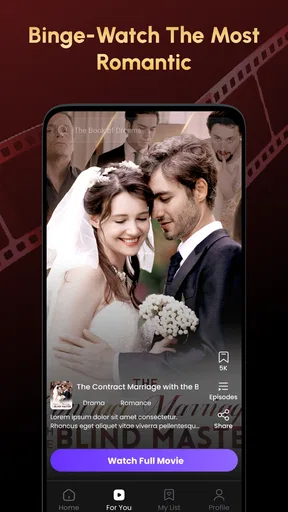
 Analysis by AppCompare
I approached Short TV: Movie Series as a quick-entertainment app rather than as a replacement for a full streaming service. Its appeal is easy to understand: short dramas are designed for small gaps in the day, when I have enough time for a few scenes but not enough patience for a long film or a full television episode. The app is free to download, belongs to the Entertainment category, and is developed by bz193 studio. After spending time with it, my main impression is that it works best when I treat it as a casual discovery tool, not as a complete viewing library.
The app has reached over a million installs, which tells me that the short-form drama idea has found a sizeable audience. Its average rating sits at 3.4, so the public response is mixed rather than universally enthusiastic. That combination is useful context: there is clearly interest in the format, but I would not install it expecting every part of the experience to feel polished or equally satisfying. I would approach it with modest expectations and pay attention to the choices the app presents before committing to extended use.
What the app feels like in everyday use
The central experience is simple. I open Short TV when I want a story that moves quickly and can be consumed in brief sessions. That makes it a natural fit for a commute, a lunch break, or the last few minutes before bed. A conventional streaming platform often asks me to choose among long episodes, films, or large catalogues. Here, the short-drama focus narrows the decision and encourages a different rhythm: watch a little, stop, and return later.
That convenience is also the app's main limitation. Short episodes can create momentum, but they do not always provide the same emotional depth or breathing room as a traditional series. I found myself judging each story less by whether it could compete with a premium television production and more by whether it made a short break feel worthwhile. If you enjoy cliffhangers, compact romantic plots, and quick dramatic turns, the format can be entertaining. If you prefer carefully developed characters and slow storytelling, the compressed structure may feel rushed.
The store summary describes the service as a way to watch short drama anytime, and that is a fair description of its purpose without telling the whole story. The important practical point is that the app is built around frequent, lightweight viewing rather than a single planned movie night. I would use it when I want something immediately accessible, while keeping a more established streaming service for films, documentaries, or long-form series that deserve uninterrupted attention.
A realistic routine for short viewing
Imagine finishing a meal and having fifteen minutes before your next task. With a standard streaming app, I might spend much of that time browsing, checking episode lengths, and deciding whether starting a new show is sensible. Short TV: Movie Series is better suited to that moment because the format itself suggests a smaller commitment. I can begin a drama, watch part of it, and stop without feeling that I have abandoned a major evening plan.
There is a useful habit here: I would avoid opening the app when I am already tired and looking for something calm and complete. Short dramas often rely on forward momentum, so one episode can make the next one feel necessary. For a controlled break, I would decide in advance how long I want to watch and stop at that point rather than letting the next dramatic beat choose for me. That small boundary makes the app more enjoyable and keeps casual entertainment from taking over the evening.
Worth Reading Before You Choose

EA SPORTS FC Mobile 26 Is a Bigger Football Game, but It Takes Time

Flipboard Shows What News Apps Must Do Beyond the Feed

Switching to Android Auto Means Rethinking Your Driving Routine

Google Calendar Makes a Crowded Week Easier to Manage

Ludo King Makes the Most of the Minutes Between Plans

Baby Panda World Brings Quick Play to Modern Phones, but Its Game Library Feels Busy
Where trust starts: the visible facts
Trust begins with knowing what kind of product I am using. This is an entertainment app from bz193 studio, offered at no upfront cost, with an Everyone content rating. It runs on devices using Android 7.0 or later, which makes it accessible to many older Android phones and tablets. The current version is 2.3, so anyone installing it should still check how the app behaves on their particular device rather than assuming that broad compatibility guarantees a perfect experience.
Free access deserves a closer look. The app includes in-app purchases ranging from $0.99 to $199.99 per item. That wide range is the most important financial detail for me before I start watching. A free download does not mean every part of the experience will necessarily remain free, and the upper end of the purchase range is significant enough that I would never tap a payment option casually. I would review each on-screen choice, especially when a story encourages me to continue immediately.
This is not a criticism of charging for optional entertainment. Short-form services need ways to support production and distribution. My concern is user clarity: the difference between freely browsing, watching an available segment, and unlocking additional material should be obvious at the moment I make the choice. If the app presents a purchase, I want the amount and purpose to be unmistakable before any confirmation step.
Controls I would check before watching
My first practical step with an app like this is to inspect the visible account and purchase controls before settling into a series. I would look for whether I can use the service without creating an account, whether sign-in is requested early, and whether any account area makes subscriptions or purchases easy to review. These are not minor details. They determine how much control I have over continued use and how quickly I can understand my relationship with the app.
I would also check the device's permission settings after installation. Permissions are managed at the operating-system level, so I would not grant access simply because the app is free or popular. If Android asks for access that does not seem connected to watching short dramas, I would pause and decide whether that access is necessary for the function I want. The safest approach is to give only what is needed, deny anything I do not understand, and revisit the decision if a feature genuinely requires it.
Another useful control is the purchase protection already available through the Android store. I would make sure authentication is required for purchases, particularly on a shared device or a phone used by children. The Everyone rating describes the intended age suitability of the content, but it does not remove the need for household safeguards around spending. A free entertainment app with optional purchases should be treated with the same care as any other digital storefront.
Moments when privacy deserves attention
Watching a drama is a data-sensitive activity in a quieter way than banking or shopping, but viewing habits can still reveal personal interests. The titles I open, how long I watch, and which stories I return to can form a detailed picture of my preferences. I would therefore review the app's privacy information and the Android permission dashboard rather than assuming that entertainment use is automatically low-risk.
I would pay particular attention when the app asks me to sign in, personalise recommendations, restore access, or interact with a purchase. Those moments are where I want to understand what information is being requested and why. If a login is optional, I would prefer to browse first and decide later. If an account is necessary for a feature, I would use the smallest amount of personal information needed and avoid reusing a password from an important service.
I would also be careful on shared phones. Short TV: Movie Series may be used casually by several people in a household, but viewing history and account access can become mixed together. Before handing the device to someone else, I would check which account is active and whether payment credentials are protected. This is a more useful privacy habit than simply trusting a familiar-looking interface.
Network use is another sensible consideration. Video apps can consume a substantial amount of mobile data, especially when I watch repeatedly outside Wi-Fi. I would monitor Android's data-usage screen and avoid assuming that short episodes always mean low data consumption. Shorter content reduces viewing time, but frequent autoplay or back-to-back episodes can still add up. If the app offers playback choices, I would select the setting that matches my data plan; if it does not, I would reserve longer sessions for Wi-Fi.
How much control the viewer really has
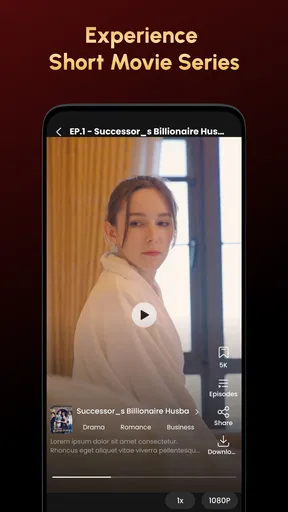
The best short-video experience gives me control over when to continue, what to watch next, and whether a purchase is worth making. In practice, I would look for clear pause and stop behavior, understandable navigation, and an easy route back to the main catalogue. Those details matter more here than they would in a single standalone film because the format encourages repeated, episodic sessions.
I would not let a recommendation feed decide everything for me. A useful workflow is to sample a story briefly, decide whether the writing and pacing suit me, and only then consider continuing. This avoids the common trap of staying with a series merely because the next item appears automatically. It also makes the free-to-purchase boundary easier to evaluate: I can decide whether I genuinely like the story before spending money to keep going.
For families, I would keep the Everyone rating in perspective. It makes the app broadly suitable from an age-label standpoint, but individual dramas can still differ in tone, tension, or themes. I would preview content before recommending it to a younger viewer and protect purchase settings on the device. The age label is helpful, but it is not a substitute for a parent's judgement about a particular story.
Three practical trade-offs worth knowing
The first non-obvious trade-off is between convenience and continuity. Short episodes make it easy to fit viewing into fragmented time, but that same structure can make stopping difficult. I recommend using the app as a planned break rather than leaving it open in the background. Decide whether you want one story segment or a fixed amount of time, then close it deliberately.
The second is between free entry and financial visibility. Because the app costs nothing to download yet includes individual purchases from $0.99 up to $199.99, I would treat every unlock as a separate decision. Do not assume that a small first payment tells you what later options will cost. Read the exact confirmation screen, use store authentication, and keep purchase history available for review.
The third is between broad device reach and personal performance. Support for Android 7.0 or later means the app can be considered on older hardware, but video playback depends on more than the operating-system number. Available storage, connection quality, battery condition, and the device's ability to handle current video apps can all affect comfort. On an older phone, I would test a short session before relying on it during travel.
A fourth trade-off concerns discovery. The narrow focus on short drama is more convenient than a huge general catalogue when I already know the kind of entertainment I want. However, it is less useful if I am looking for sports, factual programming, long films, or a broad mix of genres. The specialised format saves browsing time only when it matches my mood.
Who should use it, and who should skip it
I would recommend Short TV: Movie Series to someone who enjoys quick dramatic stories and often watches in short intervals. It is especially suitable for viewers who dislike committing to a full episode during a busy day, or who want a lightweight entertainment option on an Android device that may not support every newer app. The free entry point makes it easy to sample, provided the viewer pays attention to the optional purchase flow.
I would be more cautious about recommending it to someone who wants a deep catalogue, high-confidence editorial curation, or a completely predictable cost. The mixed 3.4 average rating suggests that the experience will not satisfy everyone, and the in-app purchase range means budget-sensitive users should establish firm boundaries before watching. Someone who mainly wants long-form storytelling will probably get better value from a conventional streaming service or a library-based video platform.
I would also skip it for a child using an unsupervised shared phone. The Everyone rating is reassuring about the intended audience, but the presence of purchases makes account and store controls essential. For a family device, I would install it only after checking authentication settings and making sure the active account cannot approve purchases accidentally.
How it compares with familiar alternatives
Compared with a standard subscription streaming app, Short TV: Movie Series offers a more focused and bite-sized experience. A large streaming service is usually better when I want polished long-form viewing, a broad genre selection, or a single predictable subscription arrangement. Short TV is more appealing when I want to open the app for a few minutes and get directly into compact drama.
Compared with general short-video platforms, this app has a clearer entertainment identity. A general feed may provide more variety and faster novelty, but it can also be distracting and less intentional. Here, the short-drama focus gives me a reason to watch a story rather than endlessly scroll unrelated clips. The compromise is that I may find less variety outside that specific format.
Compared with free, ad-supported video services, the important comparison is not simply price. I would examine how each service handles access, interruptions, accounts, and optional payments. Short TV's free download is attractive, but the purchase range means I would choose it only when its drama format is more valuable to me than the broader catalogue or clearer cost structure offered elsewhere.
My cautious verdict after weighing the controls
Short TV: Movie Series is a reasonable option for short-form drama fans who want entertainment that fits around ordinary life. I like the focused concept and the way it can turn a small spare moment into a complete viewing habit. Its strongest use case is not a Friday-night replacement for a major streaming service; it is the ten-minute gap, the quick commute, or the casual story session when I do not want to plan an entire programme.
My recommendation comes with clear boundaries. I would install it on a compatible Android device, review permissions and privacy choices, protect purchases with authentication, and sample the viewing experience before spending anything. I would also monitor mobile data and avoid treating the Everyone label as a complete content guide for younger viewers. These steps do not make the app complicated; they simply keep the viewer in charge.
With its free entry point, current version 2.3, and short-drama focus, Short TV: Movie Series is worth trying if that format matches your habits. I would not call it an automatic choice for every entertainment fan, particularly given the mixed public rating and the broad range of optional purchase amounts. For me, the final decision is straightforward: use it for convenient short stories, keep your account and spending controls visible, and choose a fuller streaming alternative when you want depth, variety, or a simpler all-in-one viewing plan.
Pros
- Short episodes fit easily into quick breaks or commutes.
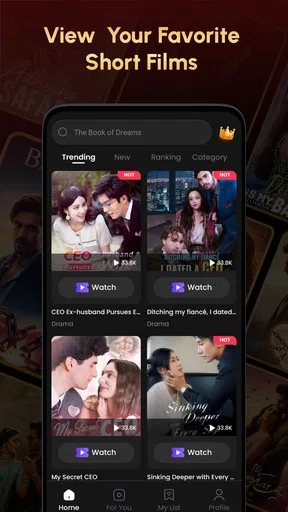
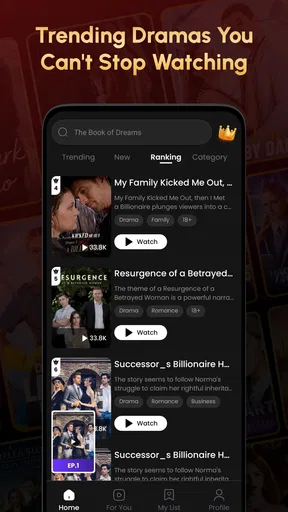
- The app offers a broad selection of bite-sized dramas and series.
- Simple browsing makes it easy to discover new shows quickly.
- Video playback is generally smooth on stable internet connections.
- New episodes can provide frequent fresh content for regular viewers.
Cons
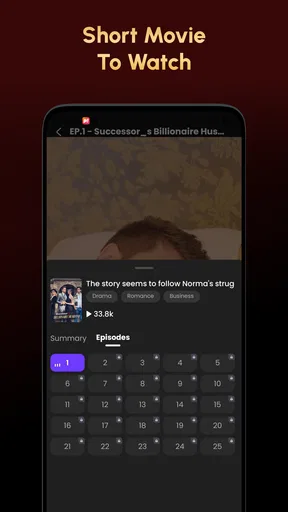
- Many episodes may require coins
- subscriptions
- or additional purchases.
- Stories often rely on cliffhangers that encourage repeated viewing.
- Content quality can vary noticeably between different series.
- Heavy streaming may consume substantial mobile data and battery.
- Some shows may have limited subtitles or language options.
FAQs for Short TV: Movie Series
What is Short TV: Movie Series?
Short TV: Movie Series is an entertainment app focused on short-form movies, episodic dramas, and vertical series designed for quick viewing sessions. Its catalog generally includes romance, drama, comedy, and suspense stories divided into brief episodes. After installing it, users can browse available titles, watch previews or episodes, and discover new content without committing to a full-length film or traditional television series.
Is Short TV: Movie Series free to download and use?
The application can typically be downloaded at no initial cost, but free access may be limited. Some episodes, premium stories, or additional viewing options can require in-app purchases, subscriptions, advertisements, or virtual credits. Before watching extensively, users should review the pricing information shown in the app store and inside the application, particularly if they intend to unlock multiple episodes or enable recurring membership benefits.
Does Short TV: Movie Series require an internet connection?
Yes, an internet connection is normally required to browse the catalog and stream episodes. Performance depends on the quality of your Wi-Fi or mobile data connection, especially because video playback can consume considerable bandwidth. Depending on the version and title, offline downloads may not be available, so users who plan to watch while traveling should check whether their selected episodes can be saved for later viewing.
Is Short TV: Movie Series suitable for children?
Parents should check the age rating and individual program descriptions before allowing children to use Short TV: Movie Series. Although the app may contain light entertainment, some short series can include romantic themes, mature dialogue, conflict, suggestive situations, or emotionally intense scenes. The availability of parental controls can vary, so supervising younger viewers and reviewing subscription or purchase settings is recommended.
What should I check before subscribing or making purchases?
Before starting a subscription or buying credits, carefully read the payment screen, renewal terms, cancellation instructions, and refund policy. Some content may unlock through multiple small purchases rather than one complete payment, which can make the total cost difficult to estimate. Confirm whether billing is handled through Google Play or the App Store, and manage or cancel recurring plans through the relevant account settings.


